This article shows you how to set up DocuSign for your company's Agile ATS account.
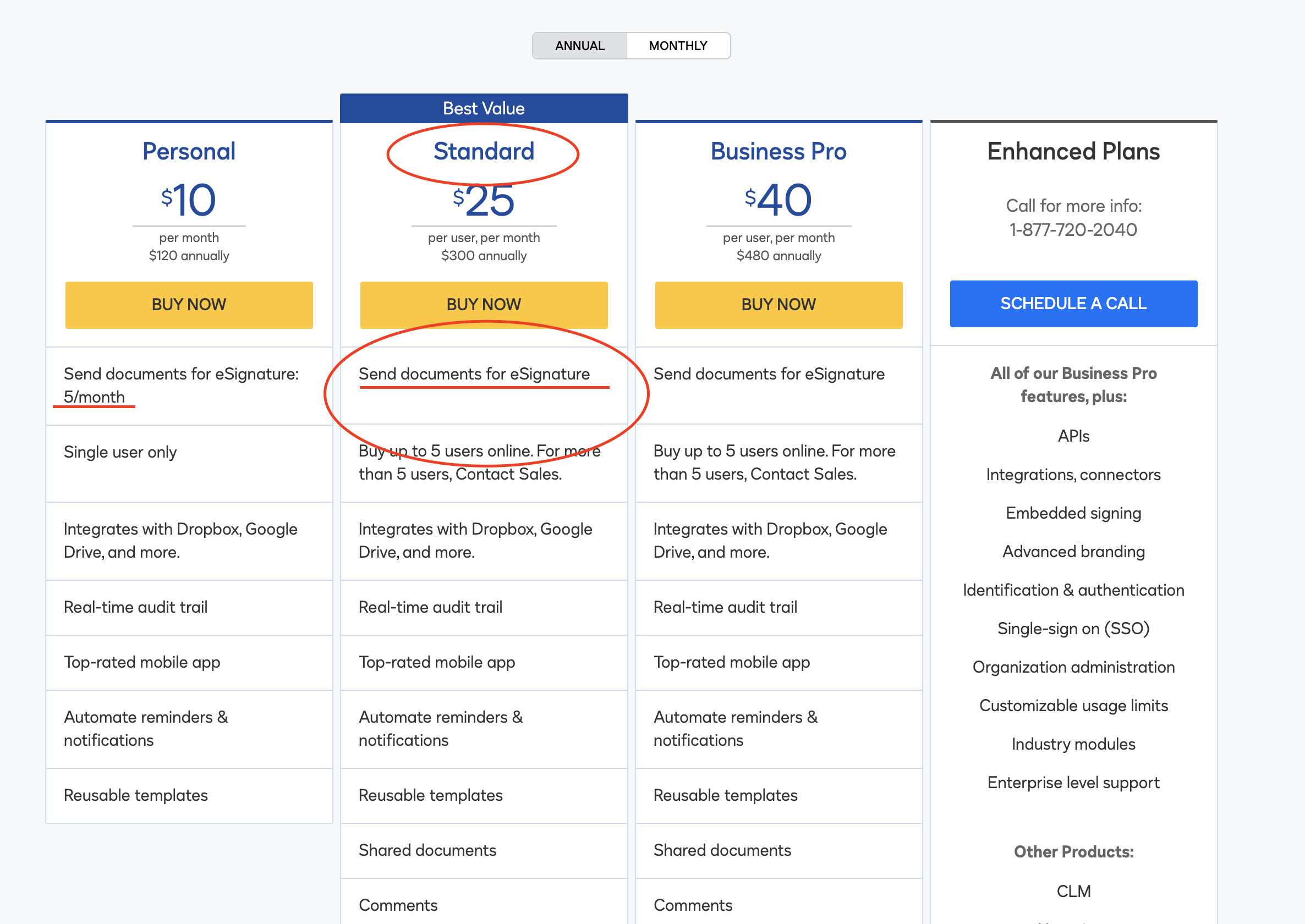
STEP 1: First, you will need a Company DocuSign Account. If you already have a DocuSign Account, skip to Step 2.
To set up a Company DocuSign account, visit the DocuSign Website and sign up for the Standard Plan. You do not need the Business Plan or Enterprise Plan.
STEP 2: Once you have a Company DocuSign Account, go to the Configuration Module in Agile ATS > Data Sources and Integrations. Click the "Link DocuSign" button and log in.
After that, you're all set!
The video demonstrates how to set up DocuSign for the first time: